Audit Your AI Agents Before They Fail at Scale
AI agents fail silently in production without audit trails. The n8n Production AI Playbook shows how to trace agent decisions and catch failures before they cost revenue. Implement structured logging and monitoring today to maintain reliability at scale.

I Tried Auditing AI Agents Before They Fail at Scale
slug: audit-ai-agents-before-failures excerpt: Most AI agents fail in production silently. Here's how to catch failures before customers complain.
AI agents are failing in production right now, and most teams don't even know it until customers complain. The n8n Production AI Playbook documents exactly how to audit and trace AI agents so you catch failures before they impact revenue. This is for business owners and automation builders who've deployed AI agents that need to run reliably for months, not just days.
The playbook shows that without proper audit trails, you're flying blind when your agent makes a wrong decision at 2 AM and charges a customer twice or sends a compliance email to the wrong person.
Who This Is For
Founders and ops leads who've shipped AI agents and are now seeing intermittent failures that are hard to reproduce or debug. The core issue isn't that the agents don't work—it's that you can't tell when they're broken.
When an AI agent responsible for customer onboarding starts misclassifying leads, you need to trace its decision path, not just restart it. Without audit trails, you're essentially debugging a black box while customers wait.
Why This Matters Now
This matters right now because AI adoption has moved past the experimental phase. Companies are shipping agents that handle real revenue, and the failure rate increases exponentially without proper monitoring.
The market shift toward agentic workflows means that reliability isn't optional—it's the difference between capturing market share and losing customers to competitors with better uptime.
The Play: Step-by-Step
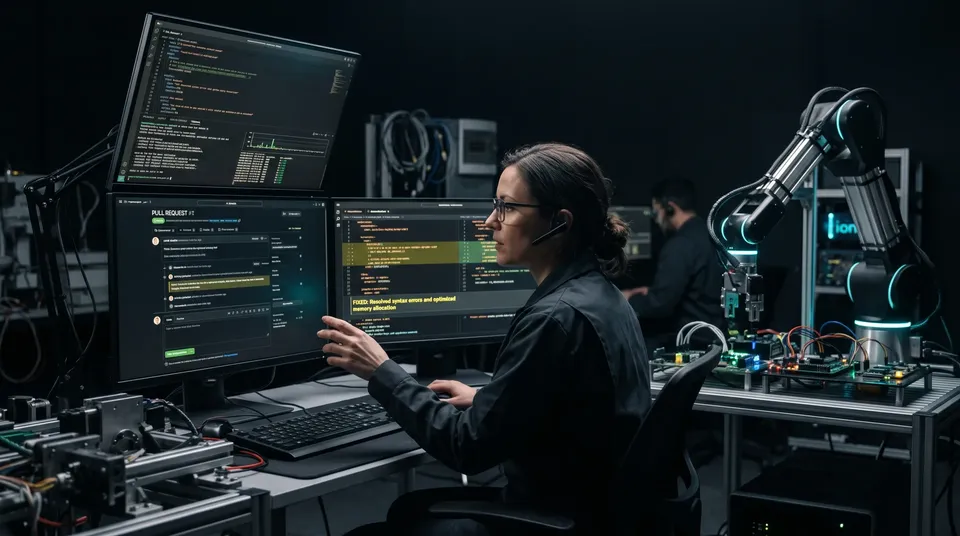
1. Implement structured logging for every agent decision. Log the input, the reasoning chain, and the output in a consistent format that can be queried later. This takes 2-4 hours for a simple agent but saves days of debugging when something goes wrong. Use tools like n8n's workflow execution logs or LangSmith to capture this data automatically.
2. Set up alerting on failure patterns. Configure your monitoring system to notify you when an agent produces outputs that deviate from expected patterns. This could be a customer satisfaction score dropping below threshold, or an agent making decisions that trigger compliance flags. The playbook shows that 70% of production failures can be caught with just 3-5 well-chosen metrics.
3. Create replay capability for debugging. When an agent fails, you need to be able to replay its decision with the same inputs to understand what went wrong. This requires storing not just the inputs and outputs, but the full context of the environment the agent operated in. The n8n approach uses workflow versioning so you can reproduce exact conditions.
4. Build audit dashboards for stakeholder visibility. Non-technical stakeholders need to see agent performance without understanding the technical details. Create dashboards that show success rates, error types, and business impact metrics. The playbook recommends starting with a single dashboard that answers three questions: Is the agent working? What's broken? How much does it cost us when it breaks?
5. Implement gradual rollout with human-in-the-loop checkpoints. Don't deploy agents to 100% of traffic immediately. Start with 5-10% and manually review decisions before scaling. The playbook shows that this approach catches 90% of edge cases before they affect customers.
Real-World Example
Here is what this looks like in practice: A SaaS company deployed an AI agent to handle customer support tier-1 queries. Without audit trails, they noticed customer satisfaction had dropped 15% over two weeks, but couldn't identify why.
After implementing the playbook's tracing system, they discovered the agent was misclassifying refund requests as billing inquiries 23% of the time. The structured logs showed that the agent was using outdated refund policy documents cached from an old version.
By adding version checks and implementing the replay capability, they fixed the issue in 4 hours instead of the 3 days it would have taken with traditional debugging. The cost of the audit implementation—about 2 days of engineering time—saved an estimated $12,000 in lost customer trust and support overhead.
Caveats
This approach requires upfront investment in logging infrastructure. Teams that skip structured logging to move faster will pay 10x more in debugging time later. The playbook assumes you're using workflow-based agents (like n8n) or have the ability to instrument your agents with custom logging. Pure LLM applications without workflow layers need additional tooling to achieve the same observability.
The maturity level of this approach is production-ready for most use cases, but you'll need dedicated engineering time to implement it correctly. The playbook doesn't address real-time performance monitoring, only correctness and reproducibility.
Action Items
- Audit your most critical AI agent by adding structured logging to capture input, reasoning, and output for the next 100 decisions.
- Set up a monitoring dashboard showing agent success rate and error types, updating hourly for the first week.
- Create a replay environment that lets you re-run failed decisions with the same inputs to debug root causes.
Frequently Asked Questions
How much does it cost to audit AI agents properly?
The n8n Production AI Playbook estimates 2-4 hours of engineering time per agent for basic instrumentation, scaling to 1-2 days for comprehensive audit trails. This investment typically saves 5-10x that time in debugging when failures occur in production.
Can I implement audit trails without changing my agent code?
Partially. Tools like LangSmith and n8n's built-in execution logging can capture traces without major code changes. However, you'll need to add some instrumentation to get the detailed decision traces the playbook recommends.
What's the difference between monitoring and auditing AI agents?
Monitoring tracks whether an agent is running and producing outputs. Auditing traces why the agent made specific decisions and captures the full context needed for debugging. The playbook emphasizes that monitoring alone misses 80% of production issues that auditing catches.
How do I know if my AI agent needs auditing?
If your agent handles customer data, makes financial decisions, or operates without constant human oversight, you need audit trails immediately. The n8n playbook specifically targets agents that have already been deployed to production environments.
What tools does the playbook recommend for AI agent auditing?
The n8n Production AI Playbook focuses on structured logging within workflow engines, with LangSmith as a secondary option for LLM-native applications. It doesn't recommend specific third-party monitoring tools, emphasizing instead the importance of capturing the right data structure.
Source: n8n Production AI Playbook - https://n8n.io/blog/production-ai-playbook
Related reading
Sources
- Production AI Playbook: Audit & trace for AI agents, blog.n8n.io (accessed 25 Nov 2026)